Help centre › Reports
Reports
Every report reads live data, so there’s nothing to refresh or rebuild — what you see is what’s in the system right now.
Find a report
- Open Reports in the menu.
- Find the report in its group, or type part of its name into Search reports….
- Click the report, then set its period and filters.
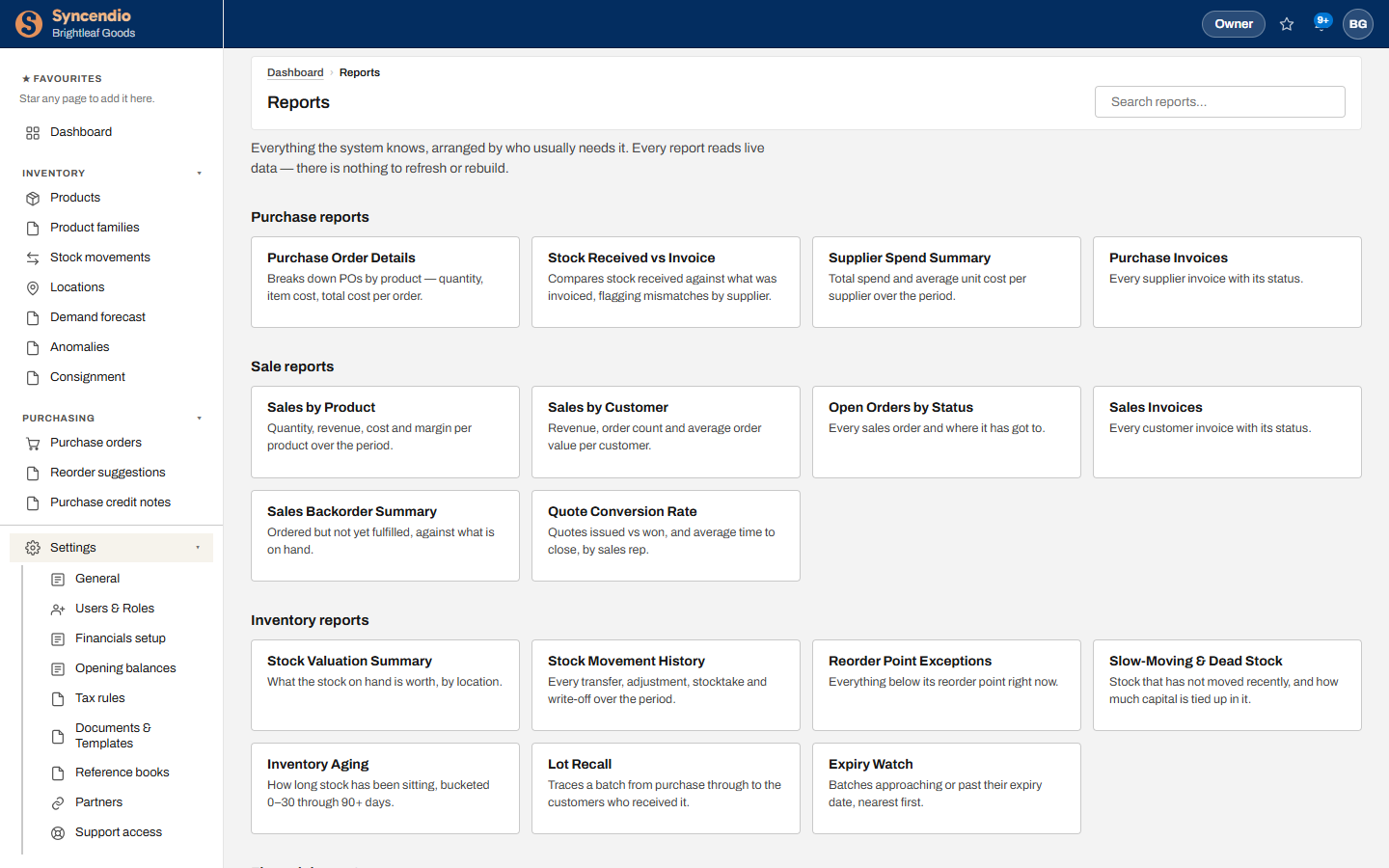
Purchase reports
| Report | Answers |
|---|---|
| Purchase Order Details | Quantity, item cost and total cost per order, by product |
| Stock Received vs Invoice | Where what was received and what was billed don’t match |
| Supplier Spend Summary | Total spend and average unit cost per supplier |
| Price by Supplier | What each supplier charges for each product — contracted and current price, what you last paid, and when |
| Purchase Invoices | Every supplier invoice and its status |
Sale reports
| Report | Answers |
|---|---|
| Sales by Product | Quantity, revenue, cost and margin per product |
| Sales by Customer | Revenue, order count and average order value per customer |
| Price by Customer | What each customer pays: their price list, any agreed prices with their end dates, and the list price beside them |
| Open Orders by Status | Where every sales order has got to |
| Sales Invoices | Every customer invoice and its status |
| Sales Backorder Summary | What’s ordered but not fulfilled, against stock on hand |
| Quote Conversion Rate | Quotes issued vs won, and time to close, by sales rep |
Inventory reports
| Report | Answers |
|---|---|
| Stock Valuation Summary | What stock on hand is worth, by location |
| Stock Movement History | Every transfer, adjustment, stocktake and write-off |
| Reorder Point Exceptions | Everything below its reorder point right now |
| Slow-Moving & Dead Stock | Stock that hasn’t moved, and the money tied up in it |
| Inventory Aging | How long stock has been sitting, from 0–30 to 90+ days |
| Lot Recall | A batch traced from purchase to every customer who received it |
| Expiry Watch | Batches nearing or past expiry, soonest first |
Scroll further down the Reports page for financial reports.