Help centre › Warehouse routing
Warehouse routing
With more than one warehouse, somebody has to decide which one ships each order. Routing rules make that decision the same way every time — your policy, written down once.
Turn it on
Warehouse routing is an add-on: $29 a month, included in Pro. It needs at least two locations, so it isn’t available on Starter. An owner switches it on under Settings → Add-ons, and Sales → Warehouse routing appears in the menu.
How routing decides
- Rules are tried from the top: lower priority numbers first. Two rules with the same number are tried oldest first.
- The first rule that matches chooses where the order ships from.
- A rule can apply to one product, one customer, both, or anything.
- A rule that needs stock only matches if that location can fill the whole order. If it can’t, the next rule is tried.
- An order ships from one location — routing never splits it.
- Routing only runs when an order is created for a customer without a ship-from location. Choose a location yourself and your choice stands.
- With no matching rule, you choose the location as before.
Add a rule
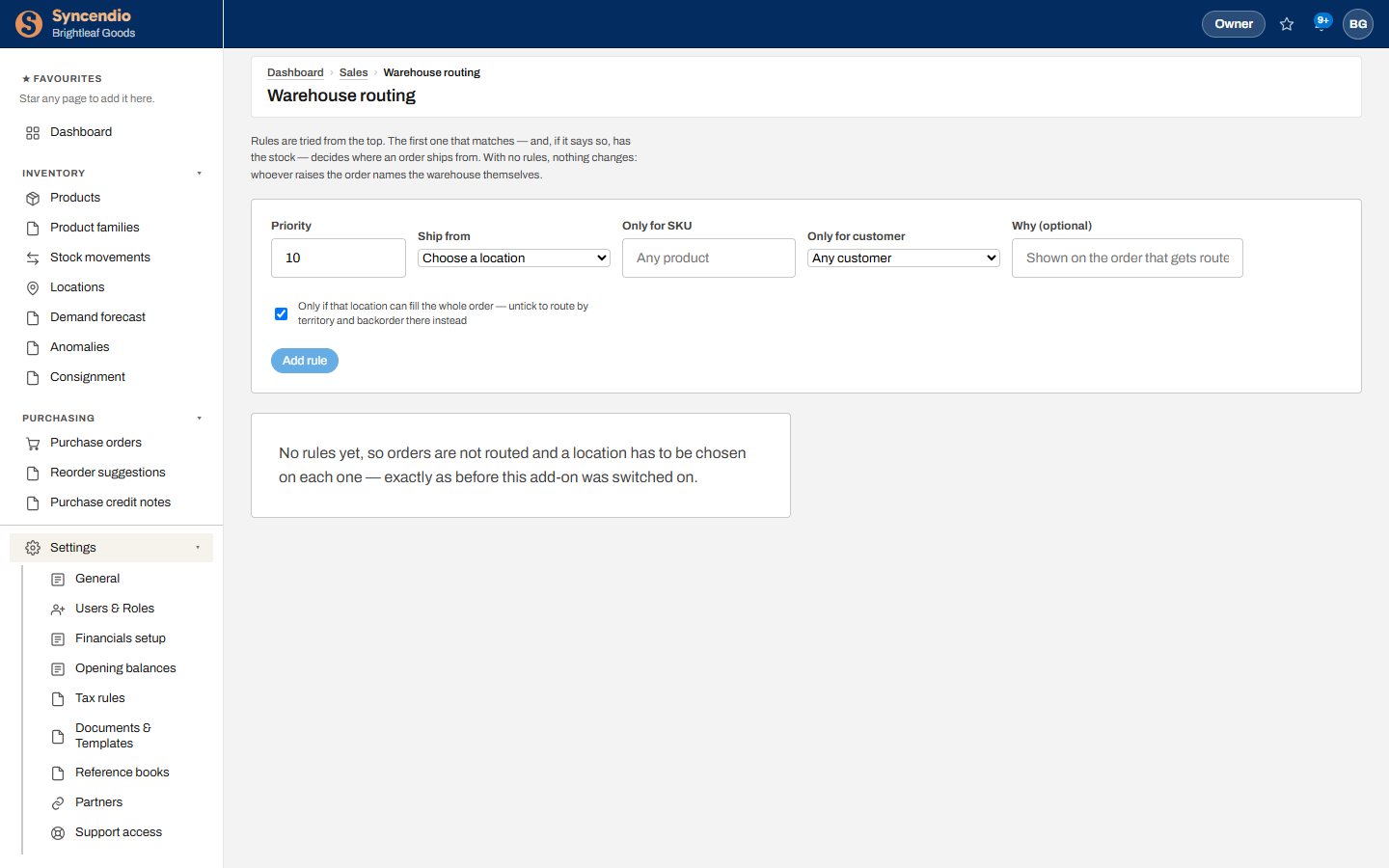
- Open Sales → Warehouse routing.
- Set the Priority and the location to Ship from.
- Optionally limit it with Only for SKU and Only for customer. Leave both blank for a catch-all rule.
- Write Why — it’s shown on every order the rule routes.
- Keep Only if that location can fill the whole order ticked to route by stock, or untick it to route by territory and backorder there instead.
- Click Add rule. Use Remove to delete one.
Example rule sets
| Priority | Ship from | Only for | Needs stock | Why |
|---|---|---|---|---|
| 10 | West warehouse | Customer: Coastal Retail | No | West-coast account |
| 20 | Main warehouse | Any | Yes | Main ships when it can |
| 30 | Overflow store | Any | Yes | Main couldn’t fill it |
Coastal Retail always ships from the West warehouse, even if that means a backorder. Everyone else ships from Main when Main has everything, otherwise from Overflow.
On the order
An order placed by routing shows a Routed line in its header with the rule’s reason, so anyone opening it later can see why it ships from where it does.