Help centre › Getting started
Getting started
Everything in Syncendio — stock, purchasing, sales and the money side — lives in one workspace for your company. This guide gets you signed in and oriented.
Sign in
- Go to syncendio.com/login, or click Sign in at the top of any page on this site.
- Enter your email and password, then click Log in.
- If you belong to more than one company, choose the workspace you want to open.
Forgot your password? Use the Forgot your password? link under the button and we’ll email you a link to set a new one. After several wrong attempts the account locks, and we email you a link to unlock it.
The dashboard
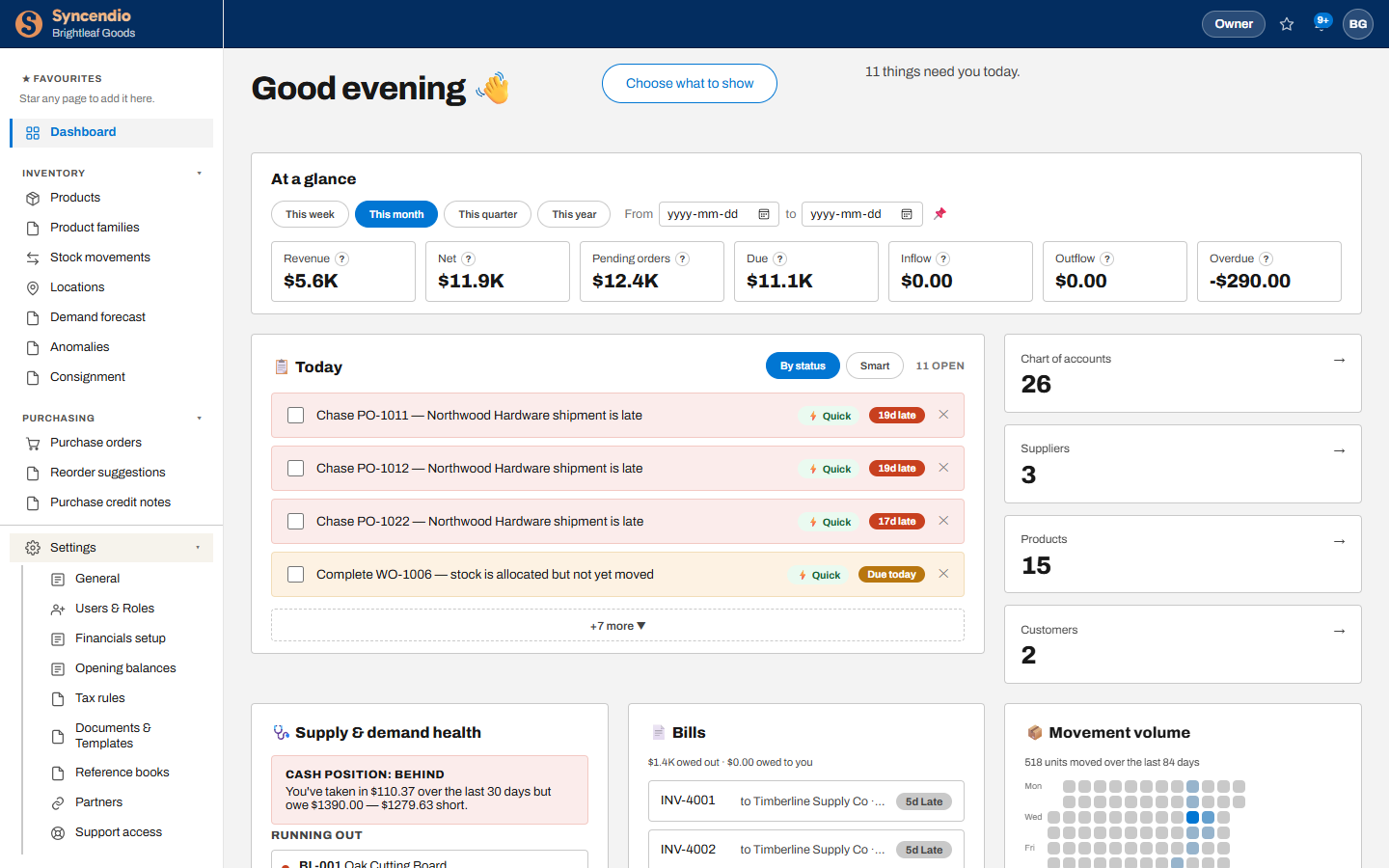
- At a glance — revenue, net, pending orders, amounts due and overdue. Switch between This week, This month, This quarter and This year, or pick your own dates.
- Today — things that need you, such as late shipments to chase or work orders to finish. Tick one off when it’s done, or click Quick to deal with it straight away.
- Choose what to show — hide or add dashboard cards to suit your role.
Your free trial
A new workspace starts on a 14-day free trial of the Starter plan. Everything you enter during the trial is kept when you subscribe.
When the trial ends your workspace becomes read-only: you can still see everything, but you can’t save changes until you choose a plan under Settings → Plan & usage. Need more time? Email support@syncendio.com — we can extend it.